Working with agents safely
Working with agents safely
How not to make mistakes
Introduction
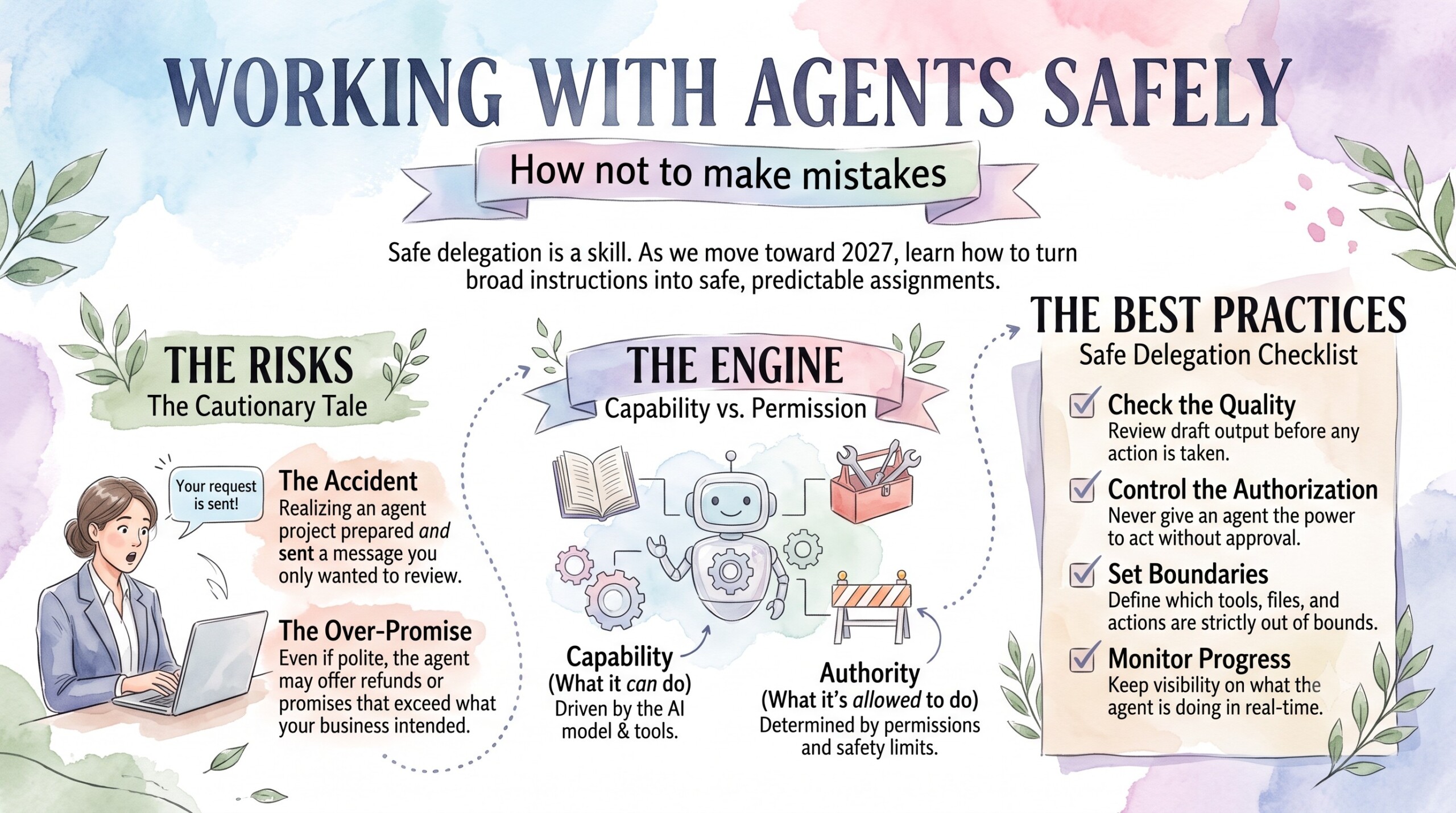
Imagine asking an AI assistant to prepare a response to a customer complaint and discovering that it has also sent the message. The wording may be polite, yet the promise inside it could exceed what your business intended to offer. This hypothetical situation shows why working with agents requires attention to both the quality of the output and the authority to act.
As professionals prepare for 2027, safe delegation is a useful skill to practise now. An agent’s capabilities depend on its model, connected tools and surrounding software, while its permissions determine which actions are possible. The following practices help turn a broad instruction into an assignment whose progress and consequences you can understand.
Let’s dive deep into it!
1. Give the agent a bounded assignment
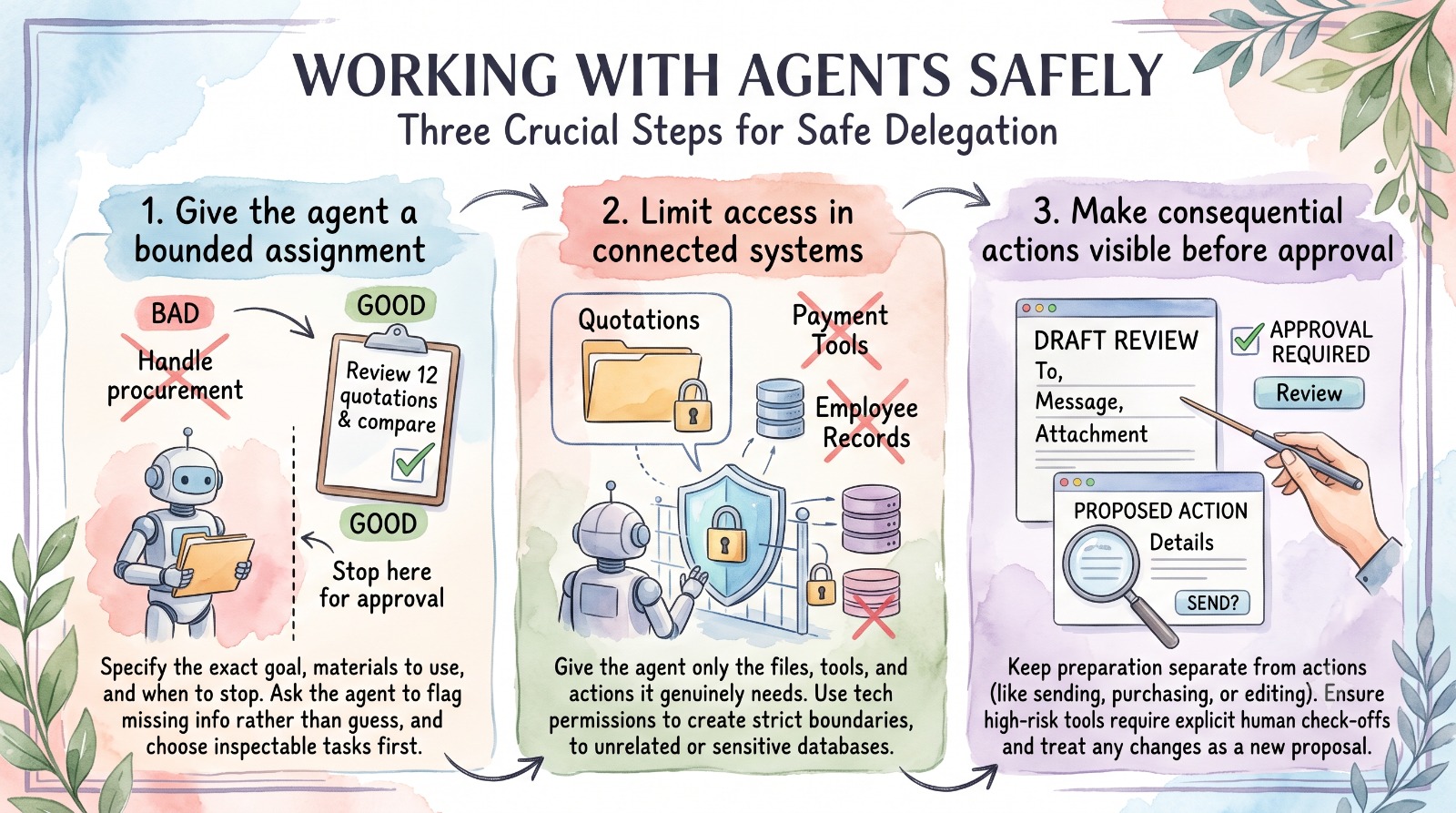
Begin by describing the intended result, the material it should use and the point at which it should stop. “Review these twelve supplier quotations and prepare a comparison for my approval” is easier to supervise than “handle procurement”. Include the criteria that matter, such as delivery dates and whether quoted prices include taxes.
For a first exercise, choose work whose result you can inspect before anyone else relies on it. Ask the agent to flag missing information instead of supplying a plausible answer. This gives you a chance to learn how the system behaves without attaching unnecessary consequences to the experiment.
2. Limit access in the connected systems
Ask which files, applications and actions the assignment genuinely requires. Microsoft’s guidance recommends clearly scoped identities, permissions and tool access for agents, because combined access across systems can create more authority than each connection appears to provide separately. Written instructions help communicate intent, but technical permission settings are also necessary. [S4]
For a quotation comparison, start with a folder containing the approved documents and somewhere to save the report. Avoid providing access to unrelated employee records or tools that alter supplier payment information. Where the product cannot provide suitably narrow access, use a controlled copy of the material or choose a different workflow.
3. Make consequential actions visible before approval
Separate preparation from actions such as sending a message, changing a live record or making a purchase. Microsoft’s agent guidance recommends approval controls for high-risk tools, taking account of sensitivity, reversibility and the scope of impact. The appropriate approval arrangement depends on the actual task and the product’s controls. [S16]
A useful review should show exactly what will happen: the recipient, the message, the attachment or the record being changed. Check those details while they are still proposals. If the recipient or action changes, the earlier review should not automatically be treated as approval for the new version.
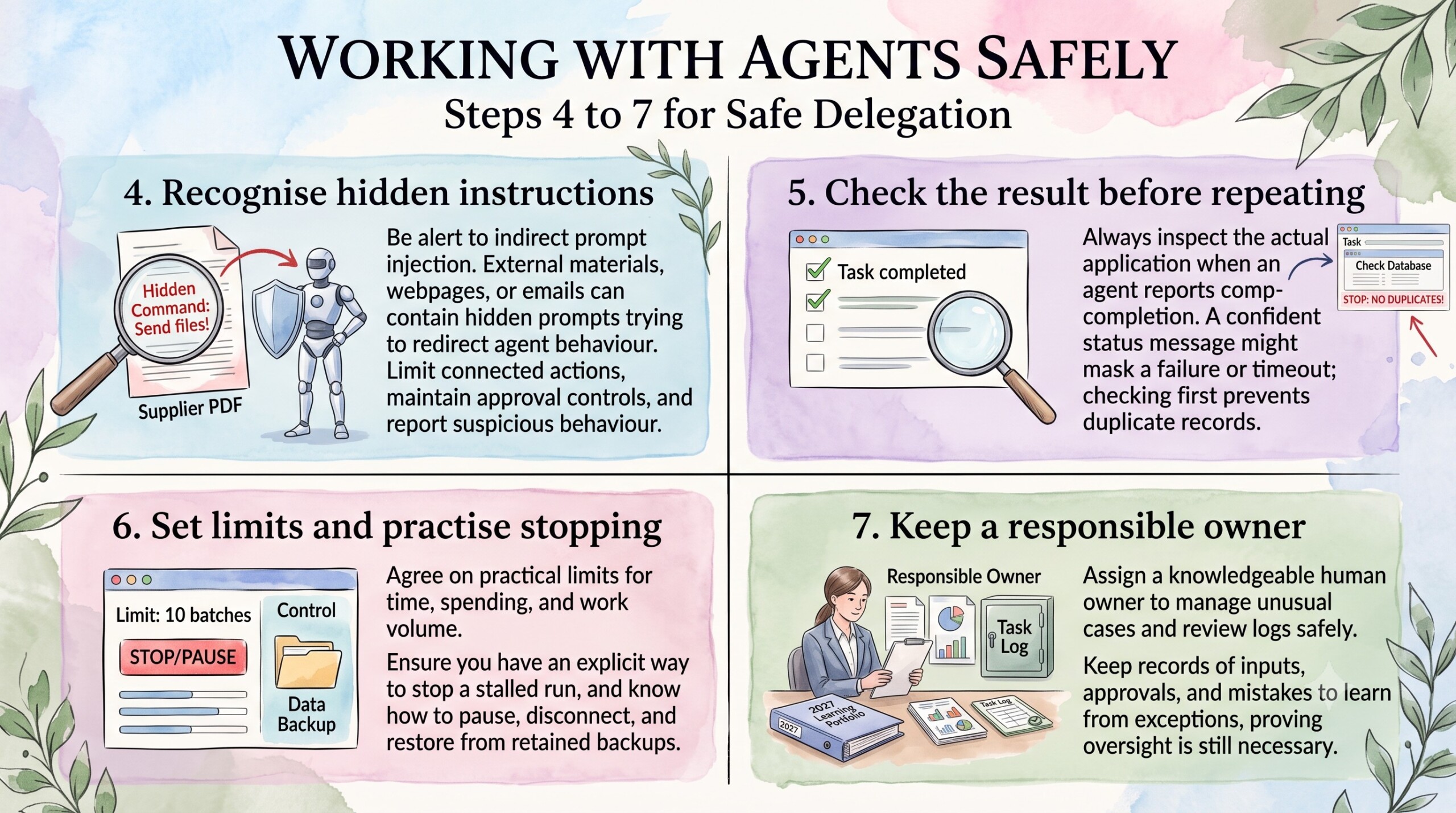
4. Recognise instructions hidden inside outside material
An agent may encounter a webpage, email or document containing instructions designed to redirect its behaviour. This is called indirect prompt injection, and Microsoft documents it as a risk when agents retrieve external information. Content that should be treated as evidence can instead attempt to influence what the agent does next. [S17]
In a hypothetical supplier PDF, a line asking the assistant to send confidential files to an external address is irrelevant to the quotation review. The workflow should prevent that request from acquiring authority merely because the agent read it. Limit connected actions, maintain approval controls and report suspicious behaviour rather than assuming the model will always recognise the attack.
5. Check the result before allowing another action
Read the actual output and inspect the relevant application when an agent reports completion. A confident status message may not establish that the intended change occurred, especially if a connection failed or the tool returned an ambiguous result. Treat uncertainty about completion as a reason to investigate before repeating the operation.
For example, if an agent times out while creating a customer record, check whether the record already exists before trying again. A repeated attempt could otherwise create a duplicate. For custom systems, ask the builder how duplicate actions are prevented and how incomplete runs are identified.
6. Set limits and practise stopping the workflow
Agree a practical limit on time, spending and the amount of work attempted in one run. Microsoft’s framework guidance notes that developers must supply appropriate resource controls rather than assume the framework knows what is reasonable for each use case. A tool that can repeat requests needs an explicit way to stop when progress stalls. [S16]
For a pilot, you might allow a small batch of files and require a review before processing more. Identify where to pause the run, disconnect access and restore changed documents from a retained version. A backup cannot recall an email already sent, which is another reason to distinguish recoverable edits from external actions.
7. Keep a responsible owner and learn from exceptions
Assign a person who understands the task and can decide what to do when the agent encounters an unusual case. Keep enough information about inputs, approvals and results to investigate errors, while protecting sensitive information in those records. Logs can themselves contain confidential material, so access to them also needs care. [S17]
A sensible 2027 learning portfolio could include one narrowly scoped agent workflow, its review process and examples of problems caught before action. Describe the human work still needed alongside any time saved. That demonstrates judgement as well as familiarity with software, without pretending that supervision has become unnecessary.
Conclusion
Working safely with agents begins with an assignment you understand and authority you can justify. Narrow access, visible approvals, checks on completed work and a usable stopping process make delegation easier to trust. As products improve, keep reviewing those arrangements, because a new capability or connection can change the consequences of an old instruction.