AI browser wars
AI browser wars
Introduction
For decades, using the internet has involved searching for information, opening websites, clicking menus, completing forms and moving between different services. AI-powered browsers and browsing agents are beginning to change these familiar activities by allowing users to describe objectives in ordinary language. A person might ask an assistant to compare products, collect information from several websites or complete a supported administrative task. The system can then attempt some of the required activities using browser tools and automated interactions.
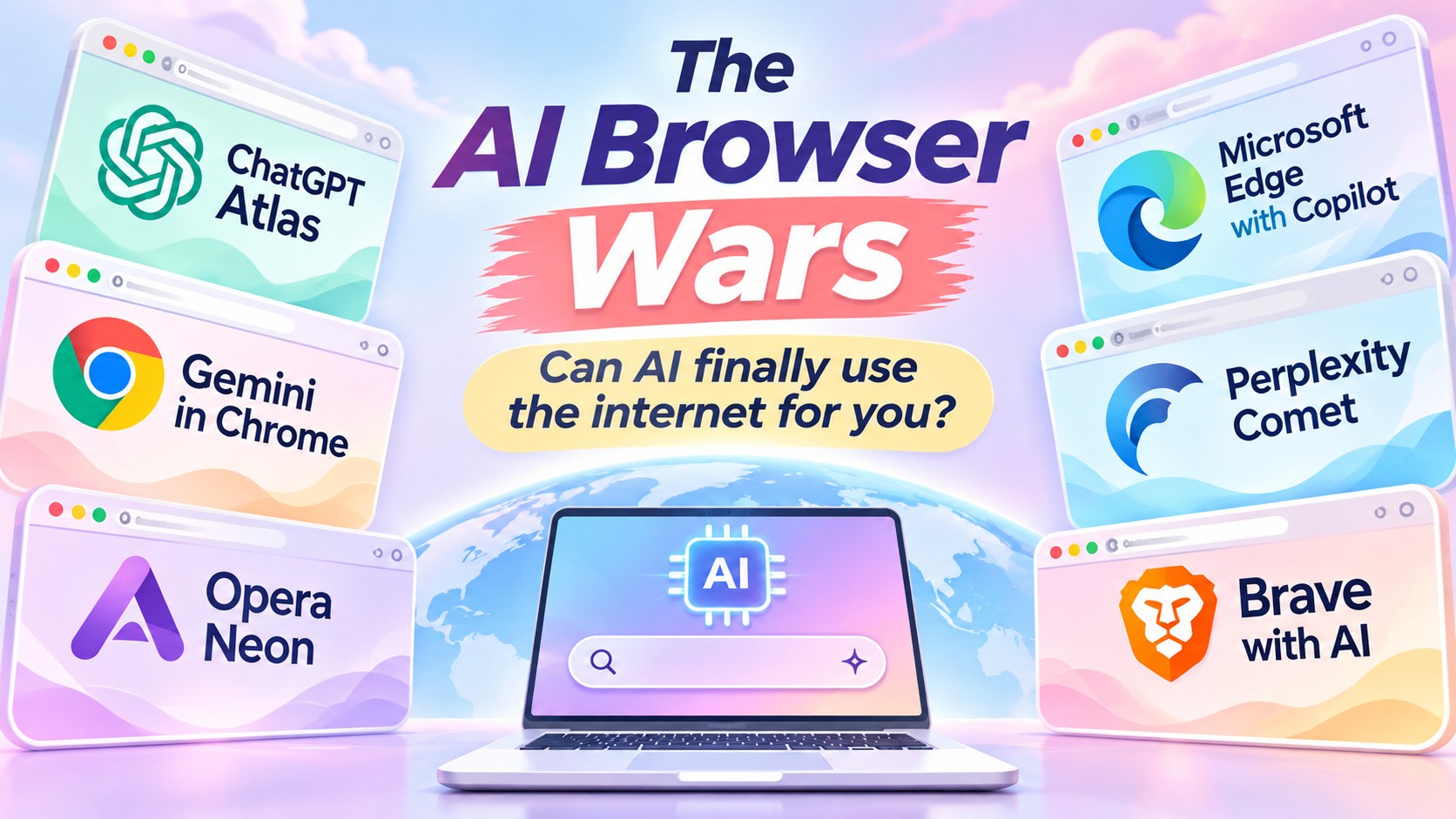
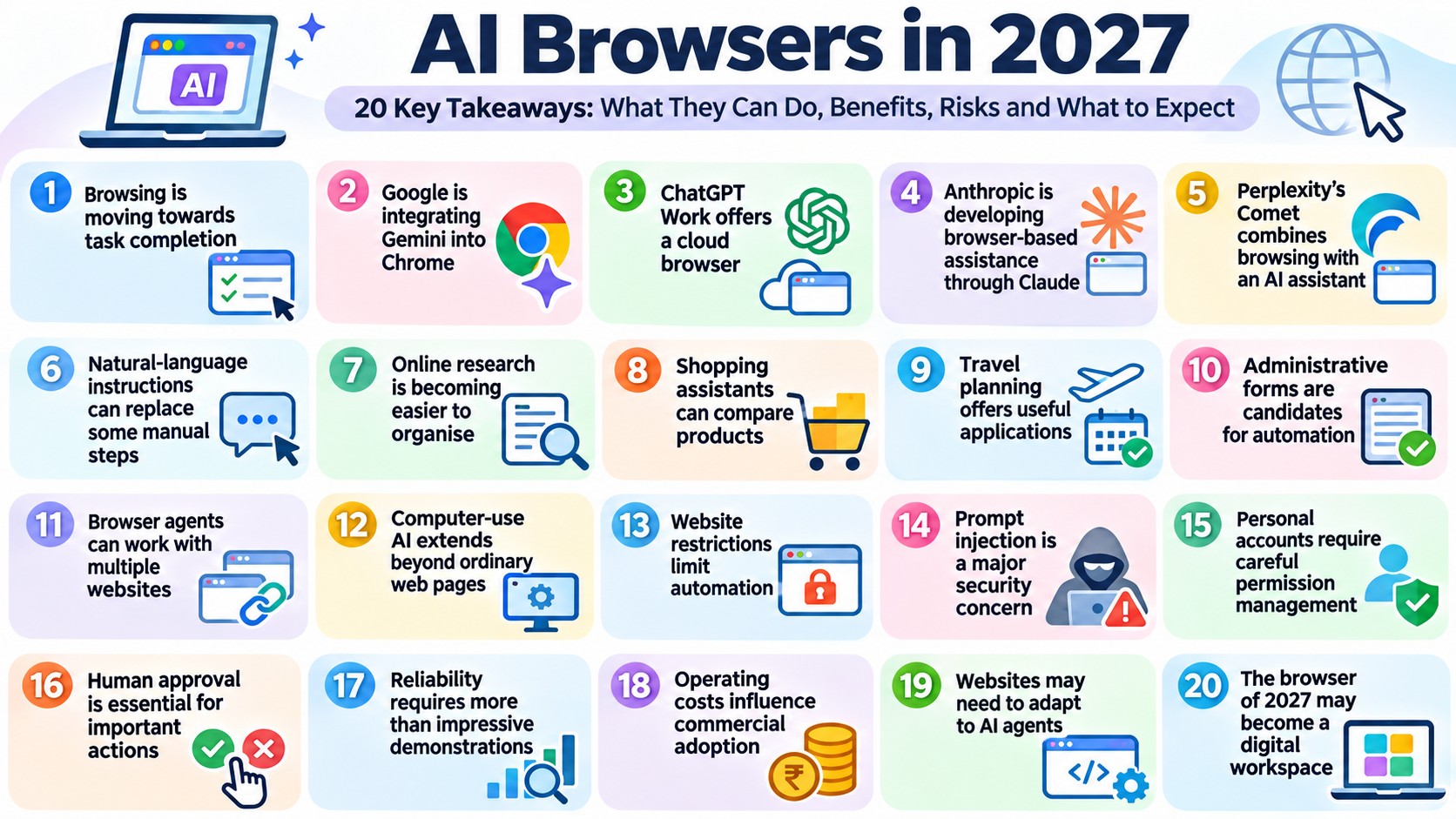
Major technology companies are approaching this opportunity in different ways. Google is incorporating Gemini into Chrome, Anthropic offers Claude capabilities through a browser extension, Perplexity has developed Comet, and OpenAI provides cloud-based browsing through ChatGPT Work. These products differ in their architecture, capabilities, availability and approach to user permissions. The following twenty developments explain what AI-powered browsing can accomplish, where its limitations remain and what users should expect as 2027 approaches.
Let’s dive into it.
1. Browsing is moving towards task completion
Traditional browsers give users direct control over websites, while search engines help them find relevant information. AI browsing tools can assist with a longer sequence of activities, including opening pages, interpreting their content and preparing structured results. Some systems can also interact with forms and controls when the necessary permissions and technical capabilities are available.
2. Google is integrating Gemini into Chrome
Google’s Gemini in Chrome allows users to ask questions about web pages, obtain summaries and work with information across supported browsing activities. Its auto browse feature can perform selected tasks involving website interaction, including supported form-filling and shopping workflows. In India, Google has made auto browse available to eligible AI Pro and Ultra subscribers using English-language settings on supported desktop and Android devices.
3. ChatGPT Work offers a cloud browser
ChatGPT Work can use a browser operating on a separate computer in the cloud to navigate supported websites and perform multistep assignments. It can click buttons, enter information and interact with certain signed-in services after appropriate authorisation. The cloud browser maintains its own sessions, separate from the user’s personal browser cookies, saved passwords and browsing history.
4. Anthropic is developing browser-based assistance through Claude
Claude in Chrome is a browser extension designed to help users navigate websites, complete forms and perform selected browser tasks. Its approach allows an AI assistant to interact with websites through an existing browser environment. As with other automated systems, the usefulness of these features depends on permissions, website compatibility and the reliability of individual actions.
5. Perplexity’s Comet combines browsing with an AI assistant
Perplexity’s Comet is an AI browser designed to support web research, page summaries and automated interactions. The company also offers enterprise-oriented capabilities intended to help employees work across websites and connected information sources. Comet illustrates how competition is expanding beyond adding AI to existing browsers towards creating browsing environments designed around AI assistance.
6. Natural-language instructions can replace some manual steps
Users can describe an objective such as comparing the fees and schedules of several online courses. A browsing agent may identify relevant websites, examine published details and organise its findings into a comparison. Clear instructions remain important because incomplete requirements can lead the agent to select unsuitable sources or overlook important information.
7. Online research is becoming easier to organise
AI browsing systems can help gather information across multiple websites and prepare useful summaries. This can reduce the effort involved in comparing reports, reading product documentation or investigating unfamiliar subjects. However, users should examine original sources and check whether the extracted information accurately reflects the underlying material.
8. Shopping assistants can compare products
An AI browsing assistant may help compare product specifications, prices, availability and delivery conditions. Some systems can also navigate shopping websites and prepare selected purchasing activities for review. Final prices and stock availability require fresh verification, and payments should remain subject to explicit user approval.
9. Travel planning offers useful applications
Planning a journey can involve comparing transport options, accommodation, local attractions and cancellation conditions across several services. An AI browser can assist with gathering information and arranging the results into a proposed itinerary. Availability, prices and booking conditions can change quickly, making final verification essential before any commitment.
10. Administrative forms are candidates for automation
Many routine online activities involve transferring information into forms or navigating repetitive administrative interfaces. AI agents may reduce manual effort by entering approved information and following a specified workflow. Accuracy remains crucial because errors in personal details, financial amounts or formal declarations can create serious problems.
11. Browser agents can work with multiple websites
A complex assignment may require visiting several services to collect different parts of the information needed. An AI browsing agent can attempt to coordinate these activities, subject to its available tools and permissions. The ability to maintain context across multiple steps is especially useful, although longer workflows introduce more opportunities for errors.
12. Computer-use AI extends beyond ordinary web pages
Some advanced AI systems can interact with software interfaces using screenshots, simulated mouse movements and keyboard inputs. These methods allow assistants to operate applications that were originally designed for human users. However, changing layouts, unexpected pop-ups and unfamiliar controls can make computer-use tasks unreliable without supervision.
13. Website restrictions limit automation
Some websites use authentication systems, verification challenges or other measures that restrict automated browsing. An AI agent may therefore encounter a page that works normally for a person but blocks the automated system. Such restrictions can prevent task completion and may require the user to take over the interaction manually.
14. Prompt injection is a major security concern
A website may contain instructions intended to manipulate an AI agent into behaving differently from what the user requested. These attacks, known as prompt injection, can appear within page content, documents or other information encountered during browsing. Developers need safeguards that prevent untrusted website material from overriding legitimate user instructions.
15. Personal accounts require careful permission management
AI browsing becomes more sensitive when an assistant can access email, shopping services, business accounts or other private information. Users should examine which websites the system can visit and what actions it can perform. Restricted permissions, secure authentication and careful review of sensitive activities can reduce the risks associated with automated access.
16. Human approval is essential for important actions
Booking travel, making payments, submitting formal documents or deleting information can create consequences that are difficult to reverse. Responsible browsing systems should request confirmation before performing such actions, with the user retaining meaningful control. ChatGPT Work, for example, describes approval requirements for consequential cloud-browser actions.
17. Reliability requires more than impressive demonstrations
A browsing assistant may complete a carefully prepared demonstration while struggling with an unfamiliar website or unusual request. Organisations should therefore evaluate success rates across representative tasks and record where human intervention is necessary. The quality of the final result, number of errors and effort required for corrections are important measures of practical performance.
18. Operating costs influence commercial adoption
An AI browsing agent may consume computing resources while interpreting pages, deciding which actions to take and processing results. Long workflows can require multiple model interactions, increasing costs compared with a simple question-and-answer exchange. Businesses evaluating these tools should measure the total cost of successfully completed assignments alongside the time saved for employees.
19. Websites may need to adapt to AI agents
Websites have traditionally been designed around human visitors who read pages and operate controls. The growth of automated assistants could encourage businesses to improve information structures, consistency and secure interfaces for machine-assisted interaction. Organisations may also develop clearer policies defining which automated activities are permitted on their services.
20. The browser of 2027 may become a digital workspace
AI-powered browsing could gradually bring research, communication, information gathering and selected online actions into a more unified experience. Users may spend less time carrying out repetitive navigation and more time defining objectives, evaluating results and making decisions. The pace of adoption will depend on technical reliability, privacy protections, costs and the willingness of websites to support automated interactions.
Conclusion
AI-powered browsers and browsing agents are extending the capabilities of familiar internet tools. Google, OpenAI, Anthropic and Perplexity have developed different approaches, ranging from browser extensions to dedicated AI browsers and cloud-based task execution. These systems already offer useful assistance with information gathering and selected online workflows, while important limitations remain in reliability, permissions and website compatibility. As 2027 approaches, the ability to instruct, supervise and evaluate browsing agents may become an increasingly valuable digital skill.